Conversation API
Sending Messages
Send a single message or reply to inbound
POST https://a.loopmessage.com/api/v1/message/send/
You can use a contact phone number/email address (depending on what the user provided you with when init a conversation).
Headers
| Name | Type | Description |
|---|---|---|
| Authorization* | String | API Key. Required*. |
| Content-Type* | String | application/jsonSupported inline markup |
Request Body
| Name | Type | Description |
|---|---|---|
| contact* | String | Phone number or iMessage email |
| text* | String | Your message text |
| sender | String | ID of your sender name. Send a message from a specific sender name. This parameter is required if you try to init a conversation with a new contact. If this parameter is missing, the system will try to get the relevant sender from your account for the specified contact. |
| subject | String | Optional. Your message subject. A recipient will see this subject as a bold title before the text. |
| attachments | Array | Optional. An array of strings. The string must be a full URL of your image. URL should start with https://. HTTP links (without SSL) are not supported. This must be a publicly accessible file URL: we will not be able to reach any URLs that are hidden or that require authentication. Max length of each URL: 256 characters, max elements in the array: 10. |
| effect | String | Optional. Add effect to your message. Possible values: slam, loud, gentle, invisibleInk, echo, spotlight, balloons, confetti, love, lasers, fireworks, shootingStar, celebration You can check the Apple guide about expressive messages. |
| reply_to_id | String | Optional. The message_id that you got from the webhook You can check the Apple guide about the reply to feature. |
| passthrough | String | Optional. A string of metadata you wish to store with the checkout. Will be sent alongside all webhooks associated with the outbound message. Max length: 1000 characters. |
| channel | String | Optional. You can choose which service to use to deliver the message. By default, the required channel will be determined automatically Possible values: imessage, sms , rcs, or whatsapp. Your sender name must have an active SMS, RCS, or WhatsApp feature. When you are using this parameter you can send only text or attachments. Other parameters, voice memos or rich text will be ignored. Use this parameter only in cases when you need to override the delivery channel for a specific request. DON’T use it as a default parameter for all requests. |
| contact_file | Bool | Optional. Add a vCard (Contact file) as an attachment in your message. Use this parameter only in cases when you need to share a contact file. DON’T use it as a default parameter for all requests. |
| preview | Bool | Optional. Default value: true. If your message contains links, each one will be displayed with a rich preview. To display them as plain text, set the value to: false. Check this article to learn more about link previews. |
Response {.tabset .tabset-fade}
tab 200: Request accepted
{
    "message_id": "2BC4FD6A-CE49-439F-81DF-E895C09CA49C",
    "contact": "+13231112233",
    "text": "text"
}
Phone number will be converted to the next format +13231112233, without spaces and brackets. Email will be converted into a lowercase format.
tab 400: Request failed
{
    "message_id": "2BC4FD6A-CE49-439F-81DF-E895C09CA49C",
    "success": false,
    "message": "error description",
    "contact": "+13231112233",
    "text": "text"
}
tab 402: Payment Required
    "message_id": "2BC4FD6A-CE49-439F-81DF-E895C09CA49C",
    "success": false,
    "message": "error description",
    "contact": "+13231112233",
    "text": "text"
}
**Importan **! When you receive a successful response with code 200 from send request, it means that the server accepted your request for send and added it to the queue. But this does not mean that the message was delivered to the recipient or will be sent.
To handle message status for this request, need to observe Webhooks or use the API method to check the status by message ID, which you received in the JSON response.
We recommend using webhooks to track statuses, as you will receive a callback as soon as an event is fired.
Supported phone number formats
Recipient phone numbers should be only in international formats with a country code. Otherwise will be impossible to verify a phone number.
Plus prefix + is optional. Spaces, dashes ‘-’, brackets ‘(123)’ - also optional.
Valid phone number format examples:
- 13231234567
- +13231111111
- +1 (323) 1111111
- +1 323 123 4567
- 1 (323)-123-4567
Send a single message to an iMessage group
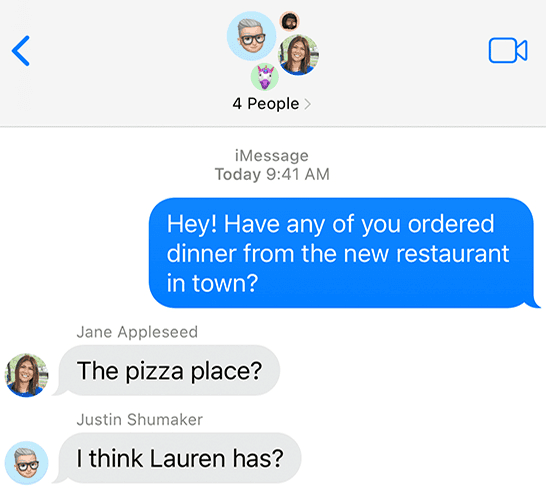
An example of how group chats look like in iMessage
POST https://a.loopmessage.com/api/v1/message/send/
Headers
| Name | Type | Description |
|---|---|---|
| Authorization* | String | API Key. Required* |
| Content-Type* | String | application/json |
Request Body
| Name | Type | Description |
|---|---|---|
| group* | String | iMessage/RCS/WhatsApp group ID. You can only get this ID from the webhook: message_inbound. |
| text* | String | Your message text |
| subject | String | Optional. Your message subject. A recipient will see this subject as a bold title before the text. |
| sender | String | Optional. ID of your sender name. Send message from a specific sender name. |
| attachments | Array | Optional. An array of strings. The string must be a full URL of your image. URL should start withhttps://…,**http links (without SSL) are not supporte **. This must be a publicly accessible URL: we will not be able to reach any URLs that are hidden or that require authentication. Max length of each URL: 256 characters, max elements in the array: 10. |
| effect | String | Optional. Add effect to your message. Possible values: slam, loud, gentle, invisibleInk, echo, spotlight, balloons, confetti, love, lasers, fireworks, shootingStar, celebration You can check the Apple guide about expressive messages. |
| reply_to_id | String | Optional. The message_id that you got from the webhook You can check the Apple guide about the reply to feature. |
| passthrough | String | Optional. A string of metadata you wish to store with the checkout. Will be sent alongside all webhooks associated with the outbound message. Max length: 1000 characters. |
Response {.tabset .tabset-fade}
tab 200: Request accepted
{
    "message_id": "2BC4FD6A-CE49-439F-81DF-E895C09CA49C",
    "group": {
        "id": "2BC4FD6A-CE49-439F-81DF-E895C09CA49C",
        "name": "String",  // Optional field
        "participants": ["+13231112233", "+13232223344"]
    },
    "text": "text"
}
tab 400: Request failed
{
    "message_id": "2BC4FD6A-CE49-439F-81DF-E895C09CA49C",
    "success": false,
    "message": "error description",
    "group": {
        "group_id": "2BC4FD6A-CE49-439F-81DF-E895C09CA49C",
        "name": "String",  # Optinal field
        "participants": ["+13231112233", "+13232223344"]
    },
    "text": "text"
}
tab 402: Payment Required
    "message_id": "2BC4FD6A-CE49-439F-81DF-E895C09CA49C",
    "success": false,
    "message": "error description",
    "group": {
        "group_id": "2BC4FD6A-CE49-439F-81DF-E895C09CA49C",
        "name": "String",  # Optinal field
        "participants": ["+13231112233", "+13232223344"]
    },
    "text": "text"
}
You can’t create an iMessage Group, change its name, or add/remove participants to it via the API. You can only receive and reply to incoming messages/attachments.
Send a voice message
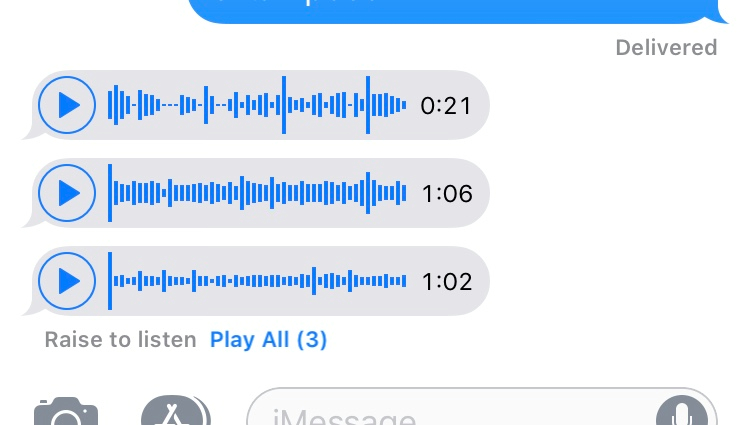
An example of how voice/audio messages look in iMessage
POST https://a.loopmessage.com/api/v1/message/send/
Headers
| Name | Type | Description |
|---|---|---|
| Authorization* | String | API Key. Required*. |
| Content-Type* | String | application/json |
Request Body
| Name | Type | Description |
|---|---|---|
| contact* | String | Phone number or Email. |
| media_url* | String | The string must be a full URL of your audio file. URL should start with https://…, http links (without SSL) are not supported. This must be a publicly accessible URL: we will not be able to reach any URLs that are hidden or that require authentication. Max length of each URL: 256 characters. Audio files of the following formats are supported: mp3, wav, m4a, caf, aac. |
| sender | String | Optional. Your dedicated sender name. This parameter will be ignored if you send a request to a recipient who is added as a sandbox contact. DON’T use a phone number as a value for this parameter. |
| passthrough | String | A string of metadata you wish to store in the request. Will be sent alongside all webhooks associated with the outbound message. Max length: 1000 characters. |
Response {.tabset .tabset-fade}
tab 200: Request accepted
{
    "message_id": "2BC4FD6A-CE49-439F-81DF-E895C09CA49C",
    "recipient": "+13231112233",
    "text": "text"
}
Phone number will be converted to the next format +13231112233, without spaces and brackets. Email will be converted into a lowercase format.
tab 400: Request failed
{
    "message_id": "2BC4FD6A-CE49-439F-81DF-E895C09CA49C",
    "success": false,
    "message": "error description",
    "recipient": "+13231112233",
    "text": "text"
}
tab 402: Payment Required
    "message_id": "2BC4FD6A-CE49-439F-81DF-E895C09CA49C",
    "success": false,
    "message": "error description",
    "recipient": "+13231112233",
    "text": "text"
}
To send a voice message to an iMessage group, you need to use the group field instead contact.
Send a reaction
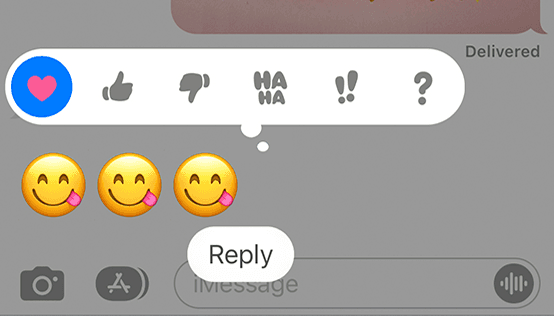
An example of how tapback reactions looks like in iMessage
POST https://a.loopmessage.com/api/v1/message/send/
Headers
| Name | Type | Description |
|---|---|---|
| Authorization* | String | API Key. Required*. |
| Content-Type* | String | application/json |
Request Body
| Name | Type | Description |
|---|---|---|
| contact* | String | Phone number or Email. |
| message_id* | String | The message_id that you got from the webhook. |
| reaction* | String | Emoji that will be used as a reaction. For example: 👍. To remove reaction “-👍”. For iMessage tapbacks, possible values are love, like, dislike, laugh, emphasize, question and the corresponding removal values prefixed with -, for example: -like. |
Show typing indicator
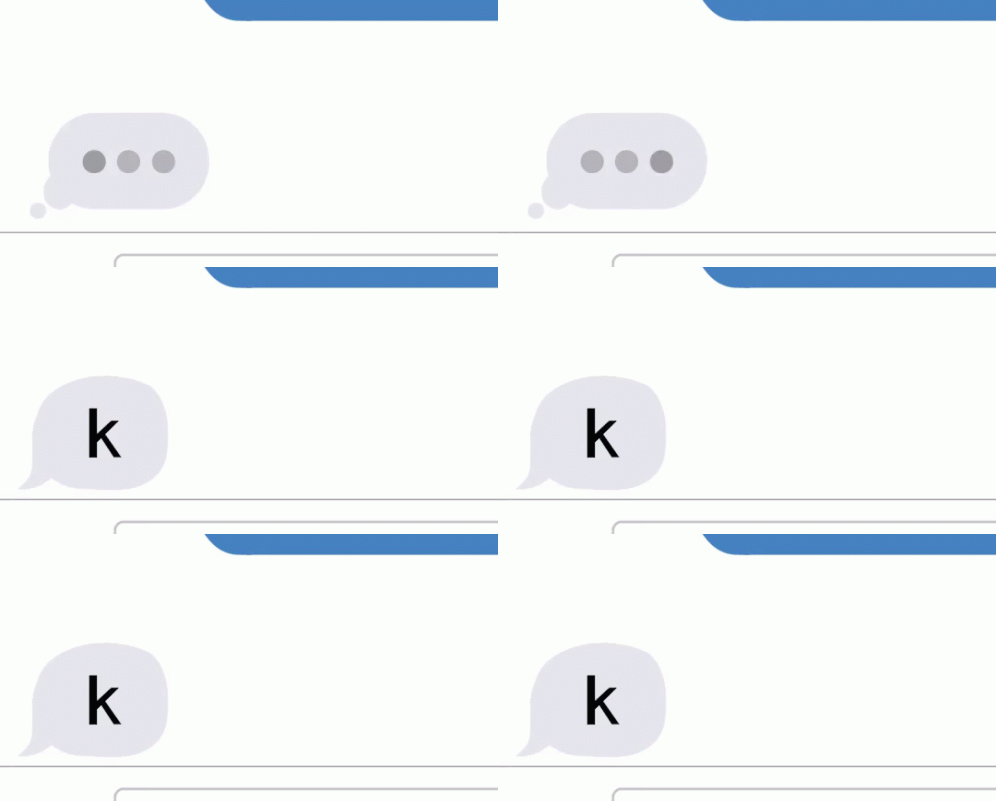
POST https://a.loopmessage.com/api/v1/message/show-typing/
Headers
| Name | Type | Description |
|---|---|---|
| Authorization* | String | API Key. Required*. |
| Content-Type* | String | application/json |
Request Body
| Name | Type | Description |
|---|---|---|
| message_id* | String | The message_id that you got from the webhook. |
| typing | Integer | This value means how long in the seconds we will show typing indicator. The max value is 60. |
| read | Bool | Mark conversation as read |
Alternatively, you can use the “contact” and “sender” parameters:
| Name | Type | Description |
|---|---|---|
| contact* | String | Phone number or Email. |
| sender* | String | ID of your sender name. |
| typing | Integer | This value means how long in the seconds we will show typing indicator. The max value is 60. |
| read | Bool | Mark conversation as read. Default true if presenting typing indicator. |
The indicator will be automatically hidden as soon as you send an outbound message
Typing indicator limitations
This feature has important limitation!
If there is no two-way conversation for more than 5 minutes, then any attempts to show the animation will fail. You should use this feature in active conversations only. In the video below, you can see examples with these limitations.
Send “Read” status
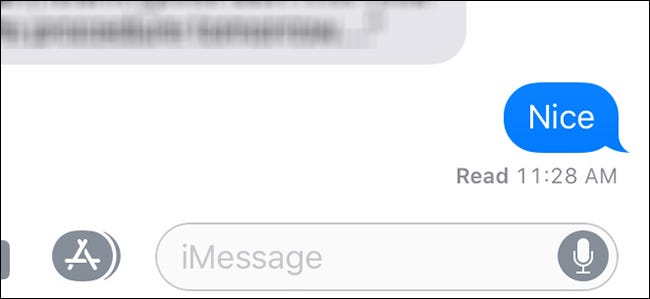
To let your contacts know that you’ve accepted a message, you can mark a conversation as read. Todo it, just add “read” to your JSON Body. Example:
{
  "typing": 5, // It's optional to show typing indicator here
  "read": true
}
Init a conversation with a new contact
POST https://a.loopmessage.com/api/v1/message/send/
Please note that this feature is working only if your sender name has an option to init a conversation with a new contact.
Init conversation with a new contact who hasn’t communicated with your sender before.
Headers
| Name | Type | Description |
|---|---|---|
| Authorization* | String | API Key. Required*. |
| Content-Type* | String | application/json |
Request Body
| Name | Type | Description |
|---|---|---|
| contact* | String | Phone number or iMessage email |
| text* | String | Your message text. An initial message must never contain any of the following: marketing, junk, phishing, scam, links, emails, phone numbers, currencies, or attachments. |
| sender* | String | ID of your sender name. Need to specify from which sender name init a conversation. |
| subject | String | Optional. Your message subject. A recipient will see this subject as a bold title before the text. |
| passthrough | String | Optional. A string of metadata you wish to store with the checkout. Will be sent alongside all webhooks associated with the outbound message. Max length: 1000 characters. |
| channel | String | Optional. You can choose which service to use to deliver the message. By default, the required channel will be determined automatically Possible values: imessage, sms , rcs, or whatsapp. Your sender name must have an active SMS, RCS, or WhatsApp feature. When you are using this parameter you can send only text or attachments. Other parameters, voice memos or rich text will be ignored. Use this parameter only in cases when you need to override the delivery channel for a specific request. DON’T use it as a default parameter for all requests. |
Edit message
POST https://a.loopmessage.com/api/v1/message/edit/{message_id}/
You can edit text of the sent outbound message.
Platform limits
The API accepts an edit request only within 15 minutes after message send date. iMessage and WhatsApp also apply a 15-minute platform limit. Requests received after this period are rejected before they are sent to the messaging service. See Apple’s Messages documentation and WhatsApp’s Help Center for platform details. RCS and SMS don’t support editing a sent message.
Headers
| Name | Type | Description |
|---|---|---|
| Authorization* | String | API Key. Required*. |
| Content-Type* | String | application/json |
Request Body
| Name | Type | Description |
|---|---|---|
| text* | String | The new message text. |
{
    "text": "Updated message text"
}
The message must be an outbound message. Inbound messages and initial conversation messages cannot be edited. Group messages can be edited by using the message ID returned for that group message.
The current public edit endpoint is routed through the iMessage dispatch service. WhatsApp edit commands are supported by the WhatsApp helper, but they are not exposed through this endpoint. When WhatsApp editing is used through a WhatsApp-specific integration, WhatsApp allows text messages to be edited within 15 minutes after sending. WhatsApp does not support editing photos, videos, or other media messages. See WhatsApp’s Help Center for platform details.
Unsend message
POST https://a.loopmessage.com/api/v1/message/unsend/{message_id}/
Removes an outbound message from the conversation.
Platform limits
The API accepts an unsend request only within 2 minutes after message send date. This is the native platform restriction. Requests received after this period are rejected before they are sent to the messaging service. See Apple’s Messages documentation for platform details.
WhatsApp allows unsend message within 2 days after sending. See WhatsApp’s Help Center for platform details.
RCS and SMS don’t support unsending messages.
Headers
| Name | Type | Description |
|---|---|---|
| Authorization* | String | API Key. Required*. |
| Content-Type* | String | application/json |
No request body is required.
Response {.tabset .tabset-fade}
tab 200: Request accepted
{
    "success": true
}
tab 400: Request failed
If the message does not exist, belongs to another organization, is inbound, or the native Messages operation fails, the API returns a failed response:
{
    "success": false,
    "message": "Unable to edit or unsend message"
}
Use the response status and success field to determine whether the operation was accepted.
Rich text
Rich text is available for iMessage and WhatsApp messages. Use the existing text field and include the supported markup directly in its value.
For SMS and RCS, this iMessage/WhatsApp-specific rich-text formatting is not applied.
iMessage
*bold*
_italic_
__underline__
~strikethrough~
[big]large text[/big]
[small]small text[/small]
[shake]shake[/shake]
[nod]nod[/nod]
[explode]explode[/explode]
[ripple]ripple[/ripple]
[bloom]bloom[/bloom]
[jitter]jitter[/jitter]
Example:
{
    "contact": "+13231112233",
    "text": "Hello *bold*, _italic_, __underline__, ~strike~, [big]large text[/big]",
}*bold*
_italic_
~strikethrough~
```monospace```
`inline code`
> quote
* bulleted list item
- bulleted list item
1. numbered list itemExample:
{
    "contact": "+13231112233",
    "text": "Hello *bold*, _italic_, ~strikethrough~",
    "channel": "whatsapp"
}
Failed responses
Please note that in most cases, handling failed responses can be far more important than handling successful ones. If something goes wrong, it may help to quickly take further action.
If your request has a failed status, you will receive a JSON response with the following content:
{
    "success": false,
    "code": 100,
    "message": "string"
}
It is important to implement handling the “code” field. It helps to understand how to manage your further actions according to the error code.
The message field is optional and briefly describes the reason for the error. Please do not pass this to the destination users/recipients. Use the “code” field to map errors and show localized error text to them.
Response example
Response {.tabset .tabset-fade}
tab 200: Request accepted
{
    "message_id": "2BC4FD6A-CE49-439F-81DF-E895C09CA49C",
    "success": true,
    "recipient": "+13231112233",
    "text": "text"
}
Phone number will be converted to the next format +13231112233, without spaces and brackets. Email will be converted into a lowercase format.
tab 400: Request failed
{
    "message_id": "2BC4FD6A-CE49-439F-81DF-E895C09CA49C",
    "success": false,
    "message": "error description",
    "recipient": "+13231112233",
    "text": "text"
}
tab 402: Payment Required
{
    "message_id": "2BC4FD6A-CE49-439F-81DF-E895C09CA49C",
    "success": false,
    "message": "error description",
    "recipient": "+13231112233",
    "text": "text"
}
Limits
Sendings
- If you receive an inbound message, you can reply without any intervals. Even if you receive an inbound message from a few contacts simultaneously.
- If you need to send messages to a few contacts who haven’t recently sent you any inbound messages, you must keep a minimal interval of 2 minutes between each such message. Otherwise, your request may be rejected.
- If you have a feature for init a conversation with new contacts, you will need to keep an interval of 15 minutes between each sending. Also, you need to take into account warm-up limitations.
Additionally, you can use our deferred messages feature to help you queue your sendings according to all these limitations and intervals
Content
-
Max text length in each message must be less than 10000 characters. Otherwise, all extra characters will be truncated. If you have larger requirements, we recommend breaking the message up into several smaller messages.
You can use characters from any language, emojis, and
\nfor new lines. HTML tags aren’t supported.
Best Practices
Sending attachments
- It’s highly recommended to use a CDN, an S3 Bucket, or another similar storage service for your attachments. If our server is unable to access and download the file or handle its extension, the attachment will not be sent.
- When you send an attachment file for the first time, it takes a while for it to download into the cache before it’s sent to the recipient. If your attachments are large (more than a couple of megabytes), they will take a while to reach your contact.
If you update your file, but it still has the same URL, the cached version will still be used. To avoid a cached version, you need to change the file URL (for example, by renaming the file name).
Handling failed cases
It’s recommended to implement handling of the next failed/error cases:
- If the response code for sending a message is NOT equal 200. In most cases, it means that something is wrong with your parameters.
- You receive a webhook with the type message_failed or message status is failed.
This means that the message can’t be delivered to this recipient. Check the error_code JSON field to better understand your case.