What is sender name and how to manage them?
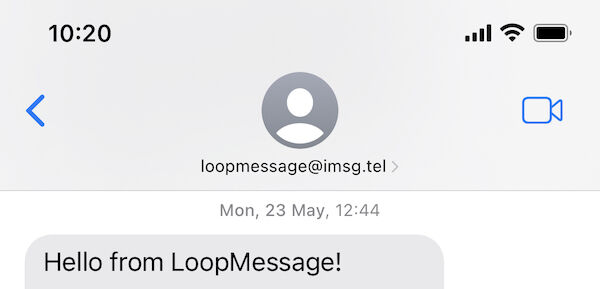
Sender name - a string that will be displayed to your recipient as the sender of a message.
Sender name could be two types:
- Phone number
- Email address
You can check this article to compare the difference.
We offer two types of sender names: dedicated or shared.
A dedicated sender name service is equivalent to renting a hardware/server to keep your sender name working
The cost of the sender name consists of:
- Once-off hardware setup fee
- Monthly payment for hardware
Each sender name has its own sending queue.
The shared sender name consists only of the monthly payment.
Check this article to compare the two types.
How to share a photo or company name with a contact?
It can be done with a contact file (vCard/VCF file). You can send this file and ask your contact to add your sender name to the contacts. In the dashboard, we have a tool to generate this file or send this file when your contact just initiates a conversation.
 It is highly recommended that you ask your recipient to add your sender name to their contacts because it provides the following benefits:
- Awesome link previews with dynamic actions.
- Your messages will never be marked as junk if your recipient uses external iOS extensions for iMessage to analyze messages.
- You can add your work phone number to the vCard/VCF file so contacts can contact you by voice.
- You can add your corporate or marketing email address to the vCard/VCF. Thus, your emails will never be marked as spam in Mail apps on iOS/macOS, as it will be considered that the email was received from their contact list.
- You can add your business coordinates or address to a vCard/VCF and when a user uses the Maps app, they can immediately see your location on their device.
- You can use the “birthday” field in vCard/VCF to show a reminder related to your business in your recipient’s calendar.
Can I choose which phone number will be assigned?
For US phone numbers, we’ll generate one based on the provided ZIP code.
For all other regions, we’ll generate a random mobile number in the selected region.
If you would like to port your current phone number to us. Currently, we support porting only US numbers. You will need to follow this guide.
Can I use my domain in email sender names?
By default, we provide our own domains with neutral names that are consistent with iMessage. But we may support your business domains so that they can be used as sender names.
We’ll not be able to use your own Apple IDs as sender names, as this will affect the quality of the services we provide. If something happens with your account or you need to make urgent changes, it may affect the uptime of our services. That’s why using your accounts, which we cannot fully control, carries high risks to the quality of our services.
To connect to the business domain, please contact support, and we will provide you with instructions on what to do. Please note that our instructions may take a few days to complete. This process requires obtaining a D-U-N-S® Number, or if you already have one, you can use it. No need to enroll in the Apple Developer Program, it’s enough to have a DUNS number.
This feature will only be available if you already have an active dedicated sender name. If you ordered a first sender name, please contact support and let us know that you would like to use your business domain
How to cancel the dedicated sender name?
If you cancel your dedicated sender name before the end of your current service period, we do NOT refund any amounts already paid for service in the future. In accounting terms, we don’t prorate services at LoopMessage due to the man-hours required to return used hardware to inventory for re-use. If you ever decide to stop using a dedicated sender name, you can do so through your customer dashboard. || Your sender name becomes inactive immediately when you cancel your service and does not remain available through the end of the service period (subscription month). If you wish to have access to your sender name until the end of the service period, cancel your service toward the end of the billing period (at least one day before the next billing period).
What should I do if my sender name has been suspended?
This means that the sender’s name has been suspended by Apple. Usually, it happens when some of your recipients complained to Apple about your texts or their algorithms consider you sent junk texts. You will need to contact our support so that we can determine the next steps to resolve this issue.
Propagation and warm-up periods
Once a sender name has been activated, it may be subject to a propagation period. This means that in the first hours after activation, not all users will be able to see the sender’s name, and during the propagation period, you may experience temporary issues receiving messages in new conversations. It usually takes up to 48 hours after activation for each sender name to be available to all iMessage users worldwide.
Sender name with phone number
If you are using iMessage only, without SMS/RCS, we also recommend waiting 7-14 days for warm-up. It means that during this period we don’t recommend using this sender for tons of simulatunesly conversations.
When your sender name has an SMS/RCS option, there shouldn’t be any warm-up issues, since SMS will be used for failed iMessage sendings.
Sender name with email
For email senders, the warm-up period is significantly longer. According to our statistics, it usually takes up to 4-6 weeks.
Is there any limitation on messaging per sender name?
By default, we don’t have a limit on the number of messages processed per sender name. However, our pricing plan limits you to the number of unique contacts each sender can reach per day.
Each sender has their own unique limit.
Also, according to the type of your sendings, you may need to keep some intervals.
If a conversation is initiated by your user and you need to reply, there is no limit or interval. But for cases when you need to init a conversation with a new contact or send a blast, follow-up, or ping your recipient, you will need to keep intervals for such sendings. Please check our API doc to learn more.
In cases when these intervals are limiting you, you can register a few sender names and distribute messages from a few senders.